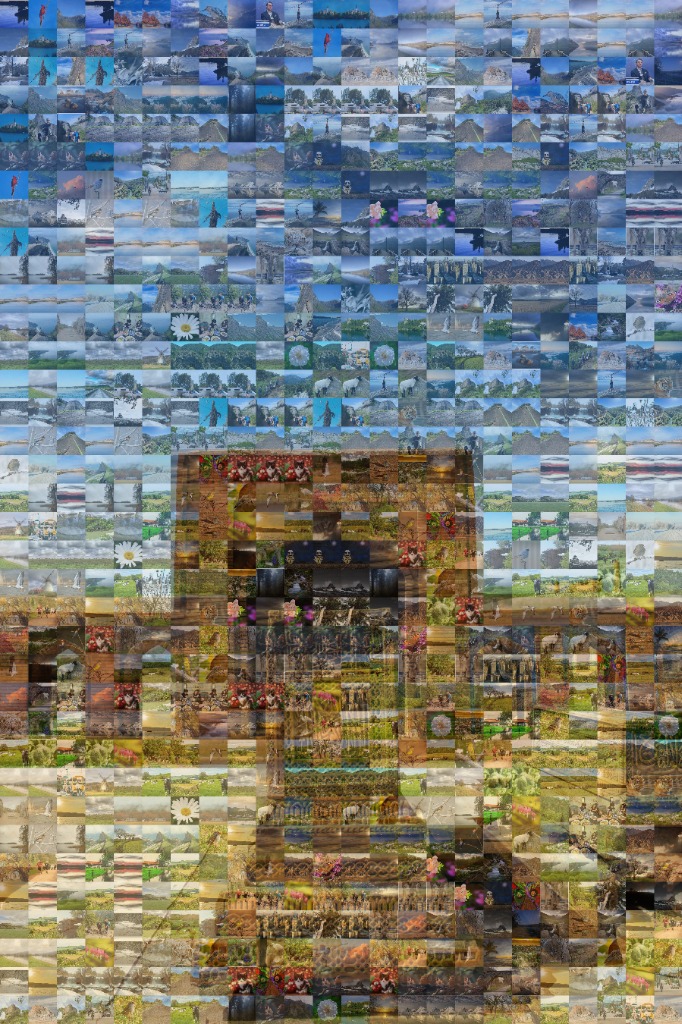
photomosaic work

Photo Mosaic Maker β€” Turn Your Pictures into 4K Wall Art & Motion Videos

πŸŽ‰ Extended Signup Offer!

New users get 10 FREE Credits with promo code WELCOME10

Sign up now and check your email to claim your credits!

πŸ–ΌοΈ Photomosaic Workspace 1. Configure main photo and tiles in the left sidebar.
2. Fine-tune details and layout parameters.
3. Click Generate Mosaic to assemble your art.

Your Completed Mosaic

✨ Hover or touch to zoom in and see tile details

Generated high-resolution photomosaic preview
Download Original

⚠️ Download link expires 12 hours after generation or 1 hour after first download.

How to Create a Photo Mosaic in 3 Simple Steps

Easily transform hundreds of camera roll memories into a single high-definition masterpiece in your web browser.

1
1. Upload Main Photo
Choose your hero portrait
2
2. Add Memory Photos
50 to 1,500 micro-tiles
3
3. 4K Preview & Download
Print files & motion video

Advanced Creative Engine Features

Aameeq is engineered to deliver features unavailable on any other platform globally, combining perceptual color science with immersive digital formats.

🎨 Perceptual Color Logicβ„’

No muddy color filters. Our algorithm operates in the LAB color space, matching perceived brightness and chromaticity according to human vision for 99% accuracy.

⚑ WebAR Activation

Printed mosaic posters come to life! A custom QR code enables a browser-native augmented reality experience that plays your video over the print (no app download required).

🎬 12 Cinematic Animations

Animate your photo mosaic into 4K MP4 videos or shareable GIFs with premium reveal styles.

Fly In Spiral Ripple Morph

πŸŽ₯ Living Mosaics (Video Tiles)

Upload video clips as tiles. The engine automatically extracts optimal keyframes and enables an interactive hover-to-play video effect in your web gallery.

Explore Use Cases & Guides

πŸ’

June Memories

Wedding Mosaics Blueprint

The ultimate blueprint for creating stunning anniversary and wedding photo mosaics. Collect photos from guests via QR code and build a beautiful, collaborative memory.

Read Blueprint ➜

Why Photomosaic.work Delivers Superior Clarity

See how our genuine optical color engine compares against old desktop tools and traditional single-photo canvas prints.

Feature & Quality Standard Photomosaic.work (AI Engine) Legacy Freeware Tools Standard Canvas Prints
Color Matching Technique βœ“ True Optical Color Matching βœ— Translucent Color Tinting (Muddy) Single Photo Only
Micro-Tile Clarity Up Close βœ“ 100% Crisp at 300 DPI βœ— Pixelated / Washed Out N/A (No micro-tiles)
Motion Video & AR Reveal βœ“ 12 Cinematic Video Styles + WebAR βœ— Not Supported βœ— Static Flat Print Only
Ease of Use βœ“ 1-Click Instant Web Browser Preview Complex Software Installs Standard Print Order
Large Format Print Resolution βœ“ Up to 48"x72" Billboard 4K Files Low-Res PNG / Watermarked Standard Resolution

How to Order Large Custom Photo Mosaics for Your Home

Whether you are decorating a living room centerpiece, celebrating a wedding, or designing corporate office art, here is how to select the perfect size and substrate:

🏠 Living Room & Entryway Canvas

Recommended Size: 30"x40" or 40"x60"
Source Photos: 250 – 1,000 photos
Substrate: 1.5" Gallery Wrapped Canvas or Fine Art High-Gloss Acrylic Glass. Gives every family memory room to shine with zero glare.

πŸ’ Wedding & Anniversary Gifts

Recommended Size: 24"x36"
Source Photos: 150 – 500 photos
Substrate: Framed Museum Canvas with printable Sticker Mural Kit option for guestbook party assembly.

🏒 Corporate Lobby & Event Murals

Recommended Size: 48"x72"+ or Multi-Panel Wall Grid
Source Photos: 500 – 2,000+ team photos
Substrate: Brushed Aluminum Metal Panels. Perfect for company milestones, summits, and executive boardrooms.

Frequently Asked Questions

Everything you need to know about creating, downloading, and printing custom photo mosaics.

How do I create a photo mosaic from my pictures?

To create a photo mosaic, simply upload a main portrait (your master image) and select a collection of 50 to 1,500 photos to serve as the mosaic tiles. Photomosaic.work automatically analyzes natural color harmonies and composes your mosaic instantly in your web browser with zero software downloads.

Will the individual photos be clear when looking closely at a printed mosaic?

Yes! Unlike legacy tools that wash out photos with translucent color overlays, Photomosaic.work uses True Optical Color Matching at 300 DPI museum-grade print resolution. Every micro-photo tile remains 100% crisp and readable up close.

How do I order a large custom photo mosaic for my home?

You can design and preview your large custom wall mosaic directly in your browser. Choose sizes ranging from 24x36 inches up to 48x72 inches on premium Gallery Wrapped Canvas, Fine Art Acrylic Glass, or Brushed Aluminum, and download print-ready files or order directly.

How many photos do I need to make a photo mosaic?

We recommend between 100 and 1,500 photos for best results. Even if you have a smaller set of 100 to 200 photos, our intelligent placement engine will position them without noticeable repetition.

Can I animate my photo mosaic into a video?

Yes! Photomosaic.work includes 12 cinematic animation styles (Fly-In, Spiral Reveal, Scatter-Gather, Wave Ripple, and 4K Zoom) perfect for sharing on Instagram, TikTok, or playing at wedding receptions.